1.8 Alert messages presented in reverse order (Low)
1.8.1 WCAG 1.3.2 (A) - Desktop
On several form pages across the service, the error summary displays validation errors in the reverse order to how the fields appear in the form.
For example, on the Contact Information Address page, the form fields follow the logical order: Address Lines, Town, then the Postcode. However, when errors occur, the error summary lists the postcode error first, followed by the town, then the address lines.
This forces users following the summary links to navigate the form backwards, increasing cognitive load and making the error resolution process confusing and inefficient.
This inconsistency can disrupt the expected reading and navigation order, especially for screen reader and keyboard users, who rely on predictable focus order to correct mistakes efficiently.
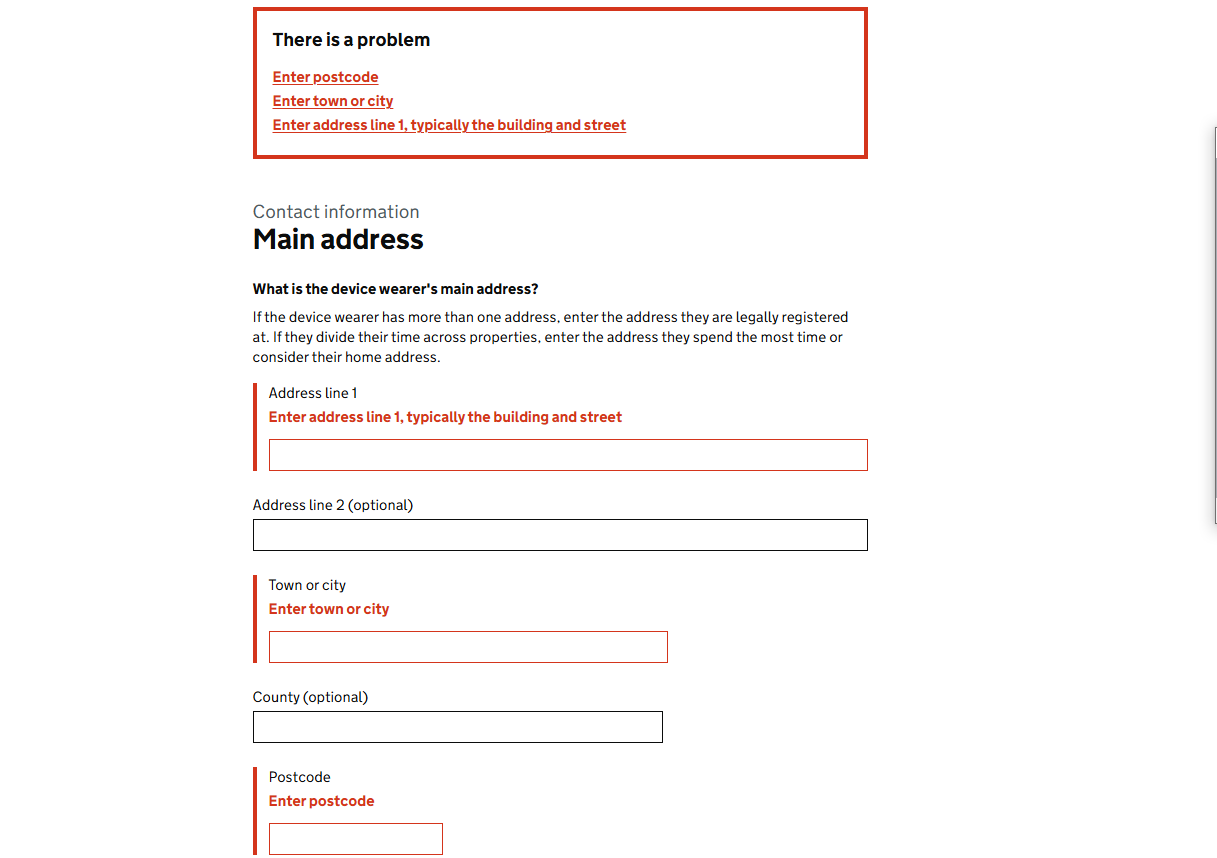
FIGURE 1.10: Error summary and form fields on Contact Information - Address page
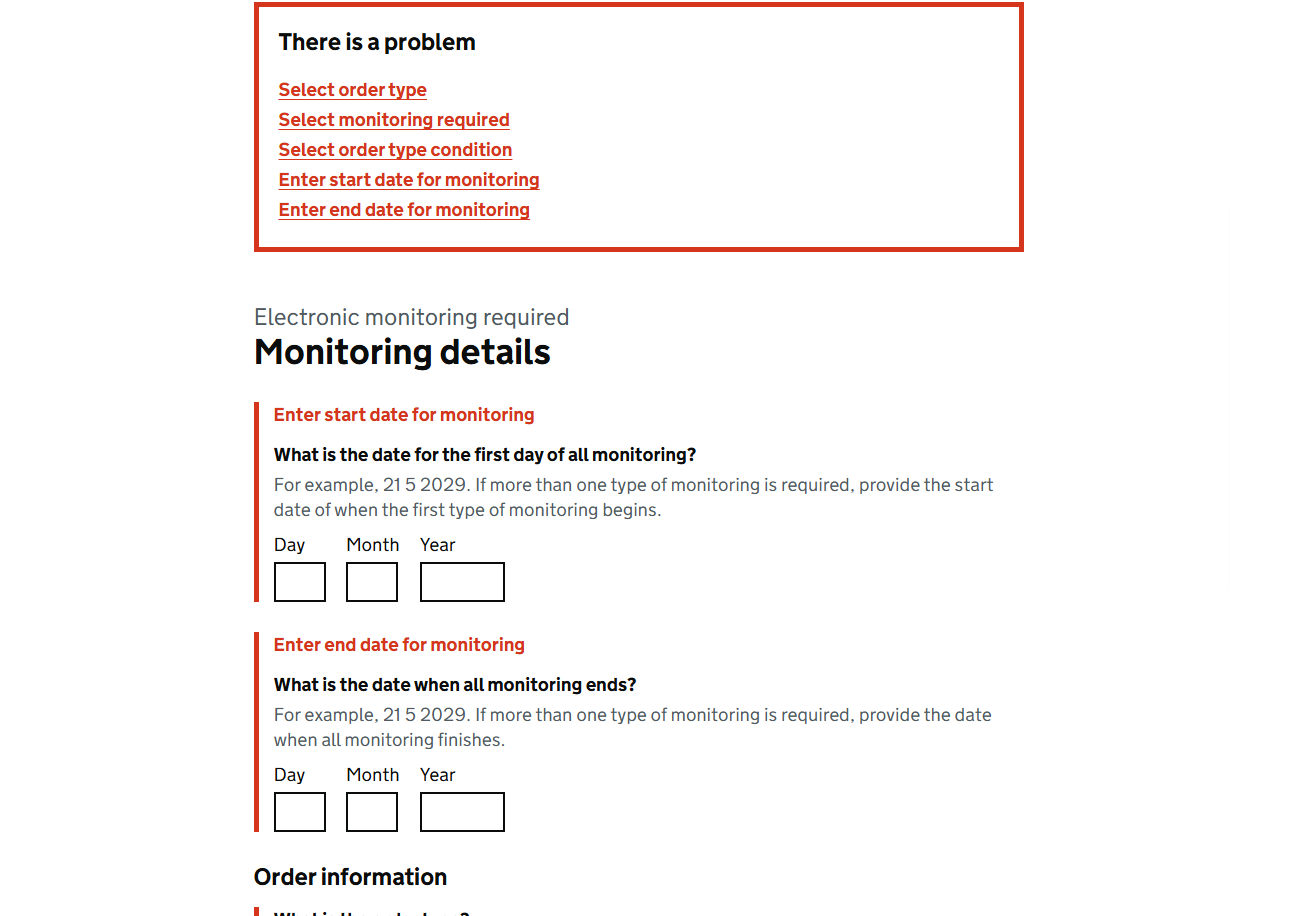
FIGURE 1.11: Error summary box on Monitoring Details page
1.8.2 Sources
Address page of the Contact Information section
Contact Page of the Organisation Details section
Details page of the Electronic Monitoring section
1.8.3 Recommendation
Update the error summary so that error messages appear in the same order as the corresponding fields in the form. This ensures users can follow the error summary top to bottom, resolving issues in a logical, forwards sequence matching the form’s layout.