2.2 Radio inputs automatically filled on attempting to submit form (Medium)
2.2.1 WCAG 3.2.2 (A), 3.3.4 (AA) - Desktop
On the Monitoring Details page, there are radio button questions related to programmes the device wearer may be associated with, such as “Is the device wearer on the ISSP?”, offering options like ‘Yes’, ‘No’, or ‘Not able to provide this information’.
If the user tries to submit the form without selecting an option, instead of triggering an error and allowing the user to make an explicit choice, the form automatically selects “not able to provide this information” as the default. This can lead to unexpected or incorrect data being submitted, as decisions are effectively made on the user’s behalf without their knowledge.
This behaviour risks invalidating data quality and can confuse users, who may not realise an answer was assumed for them. It also undermines user control, which is a fundamental accessibility and usability principle.
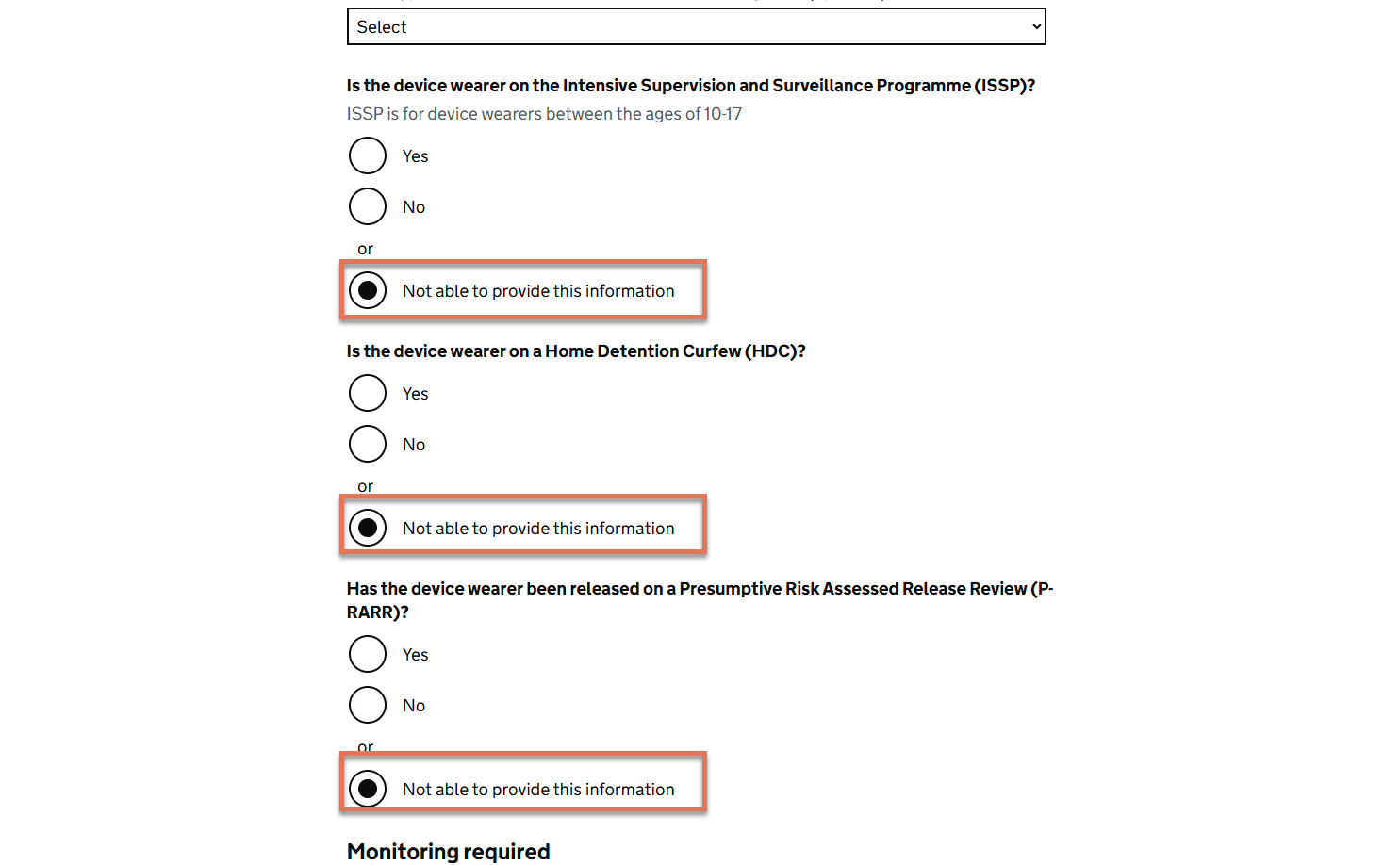
FIGURE 2.2: Radio button inputs on Monitoring Details page
2.2.2 Recommendation
Remove the logic that programmatically selects a default option when the form is submitted without user input. Instead, allow the form to trigger a validation error when a mandatory radio question is left unanswered, so users are informed of the incomplete input and can make an explicit choice.
This approach ensures users remain in control of their responses and helps maintain the integrity of collected data, as per GDS recommendations.