1.4 Optional fields not marked as such (Medium)
1.4.1 WCAG 3.3.2 (A) - Desktop
Across multiple pages in the service journey, there are fields that users can leave blank without affecting their ability to progress, but these fields are not clearly marked as optional. This can cause unnecessary confusion or hesitation, as users may think they are required to provide information before continuing.
For example, on the address page in the Contact Information section, the question “Are electronic monitoring devices required at another address?” can be left unanswered, and users can still proceed to the next page. However, the question is not marked as optional, which may lead users to assume they must provide an answer.
Another issue related to required and optional fields: Better identification for required questions (Low).
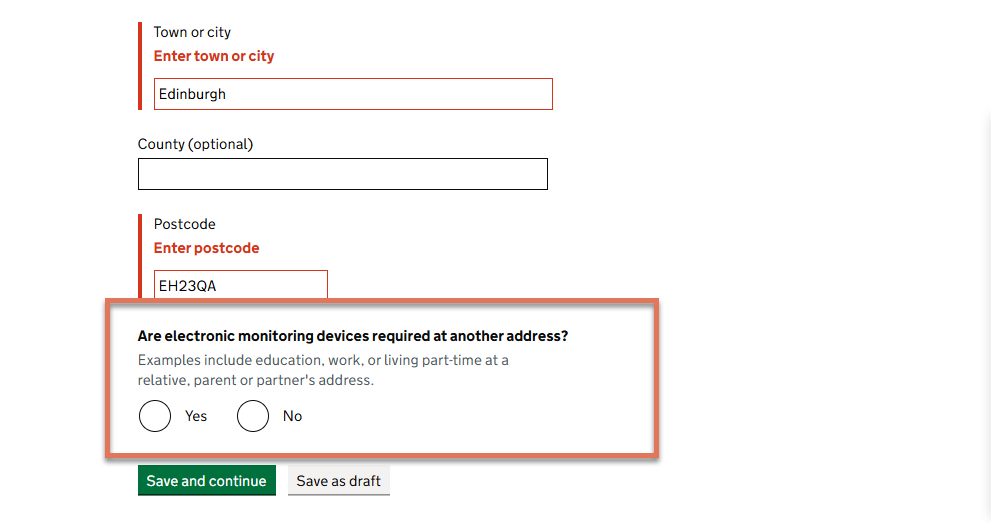
FIGURE 1.4: Optional question on Address page
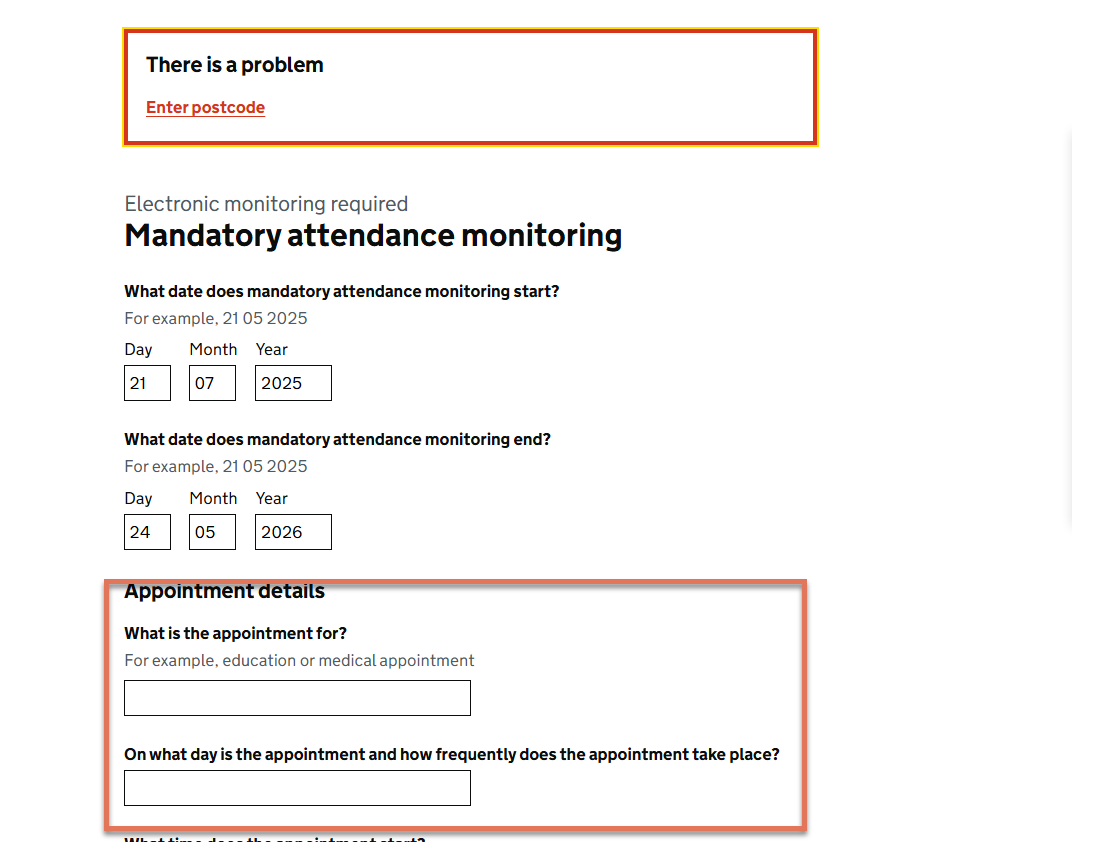
FIGURE 1.5: Optional questions on Mandatory Attendance Monitoring page
1.4.2 Recommendation
For any field or question that is optional, clearly indicate its status in the label or accompanying hint text. GOV.UK recommends including the word “(optional)” directly in the label, as in:
<label for="otherAddress">
  Are electronic monitoring devices required at another address? (optional)
</label>